Install CheapChatbots on WordPress
Add your AI chatbot to WordPress in just 5 simple steps
9 min
Setup Time
Easy
Difficulty
1
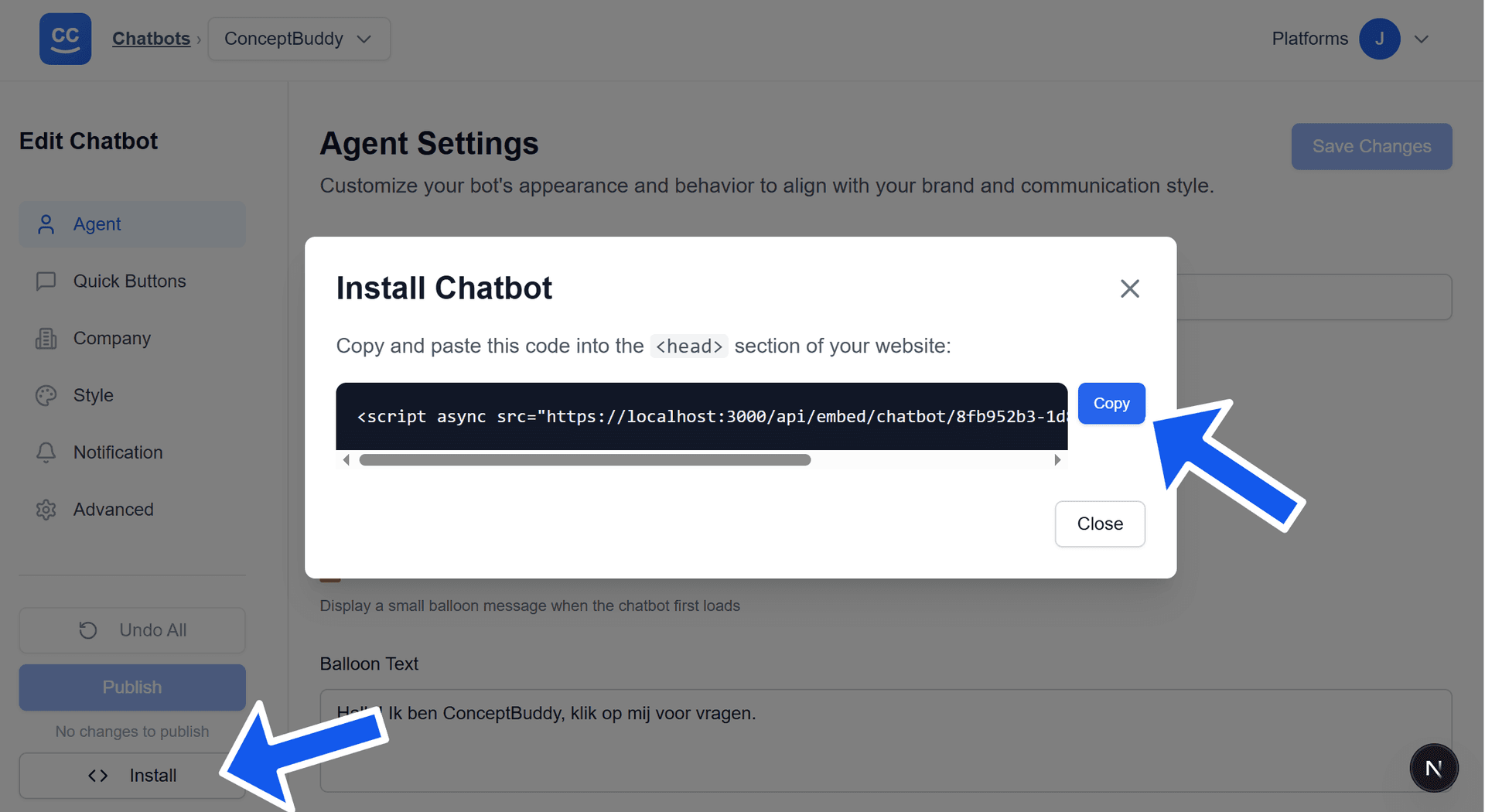
Click the Install Button on the Chatbots Card or Edit PageIn the CheapChatbots app, click the Install button on your chatbot card or click on the Install button on the Edit Chatbot page of your chatbot. A popup will appear containing the embed script code — copy this script to paste into your site.
2
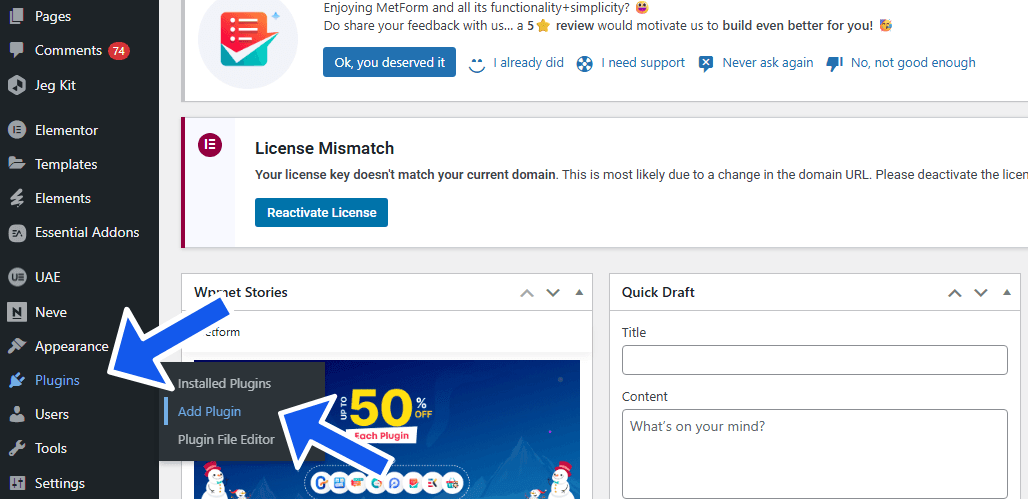
Access WordPress Admin and navigate to Add PluginLog in to your WordPress admin dashboard and navigate to Plugins → Add Plugin.
3
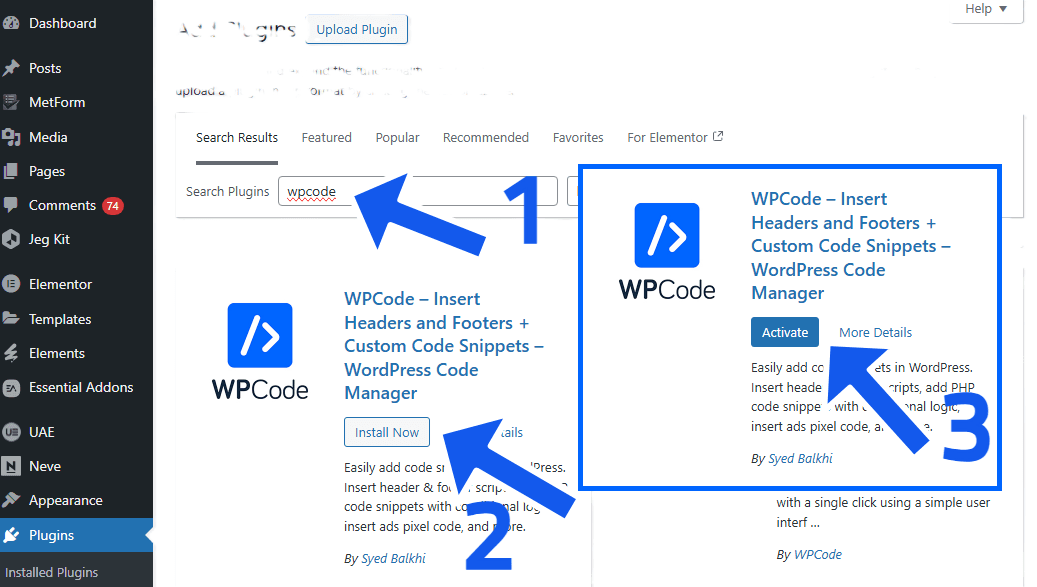
Activate WPCode PluginSearch for the WPCode plugin, press install, and after installation activate it.
4
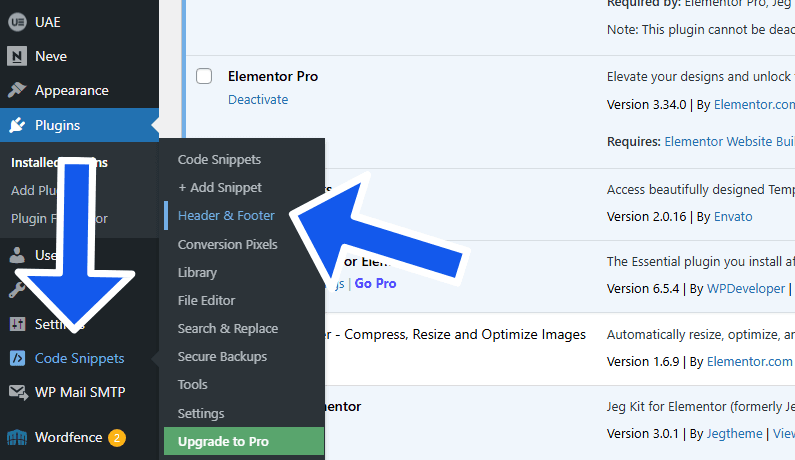
Navigate to Header & FooterIn the menu a new iteam called Code Snippets has been added, hover over it and select Header & Footer
5
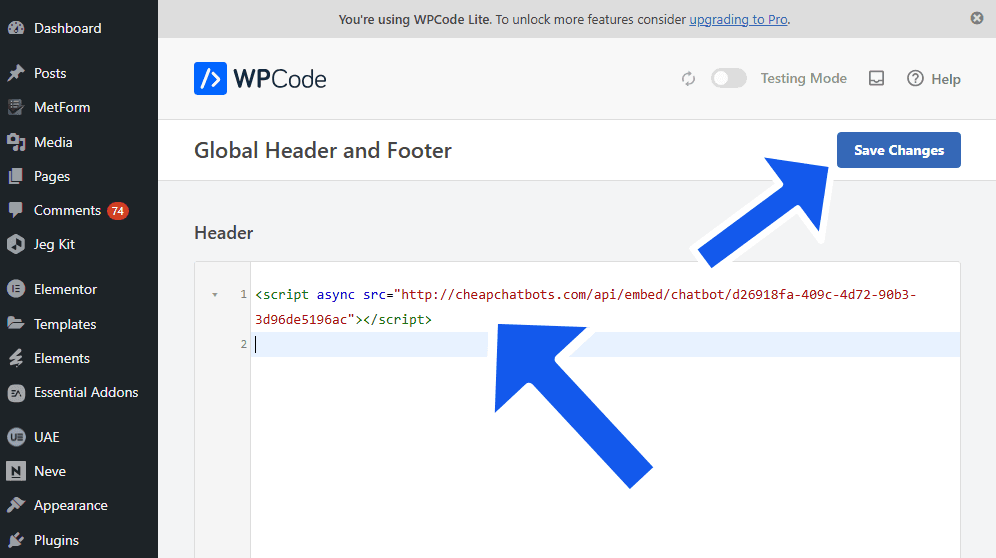
Add Embed Script to HeaderUnder Header & Footer, paste your copied embed script code into the Header section. Click Save to apply your changes.