

Install CheapChatbots on Durable
Add AI-powered chat to your AI-built website
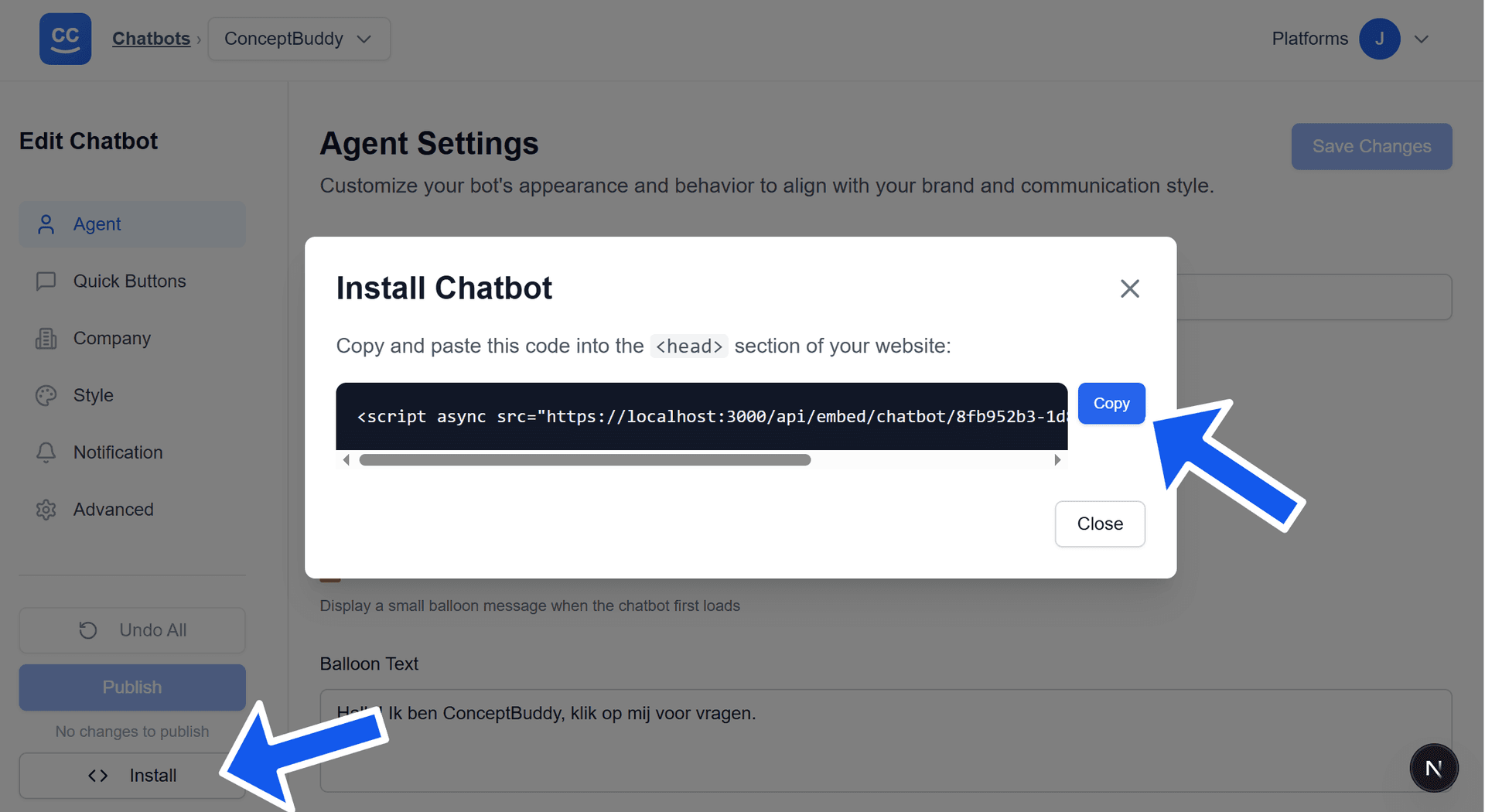
In the CheapChatbots app, click the Install button on your chatbot card or click on the Install button on the Edit Chatbot page of your chatbot. A popup will appear containing the embed script code — copy this script to paste into your site.
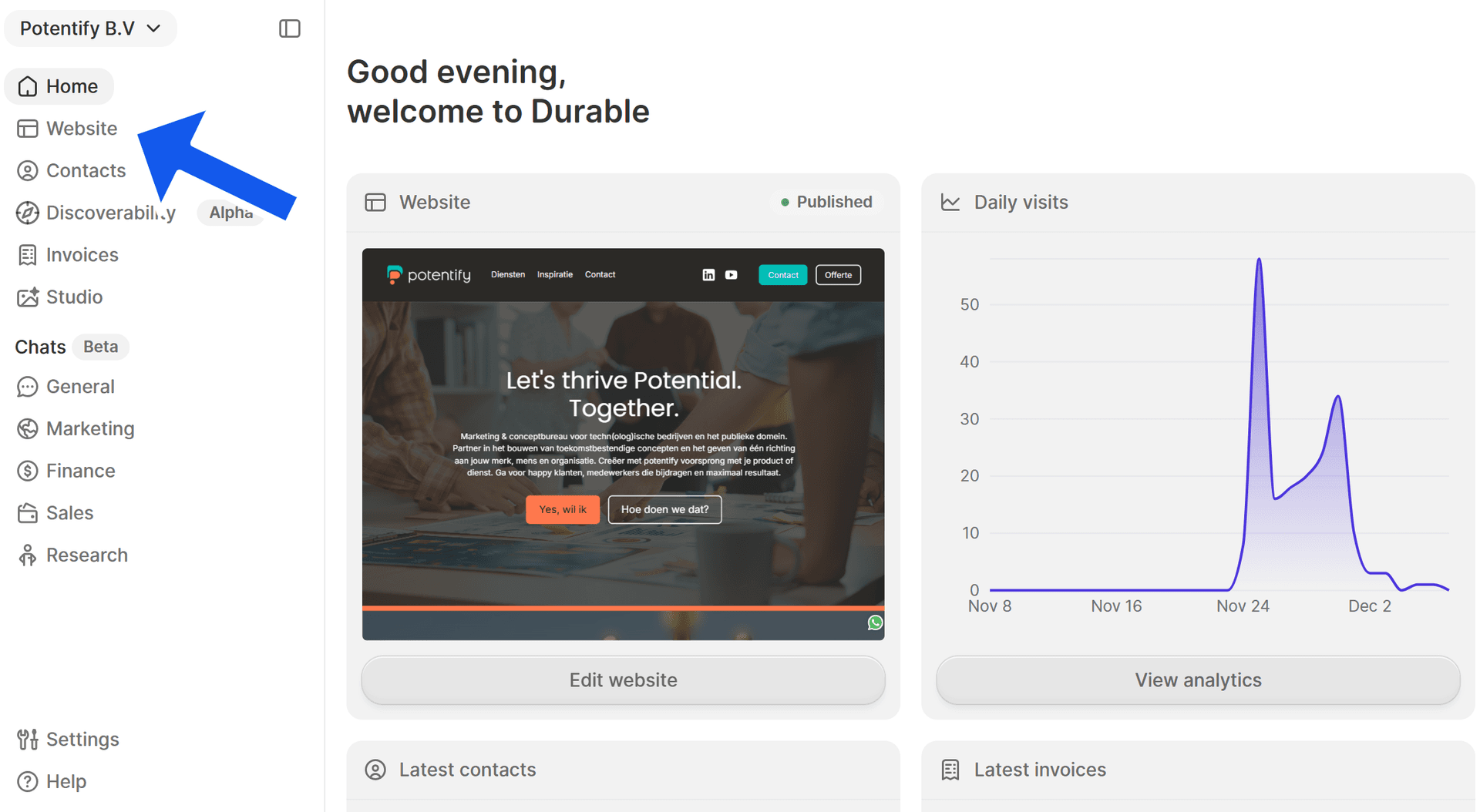
From your Durable dashboard, click "Website" in the left sidebar to open the site settings for the site you want to edit.
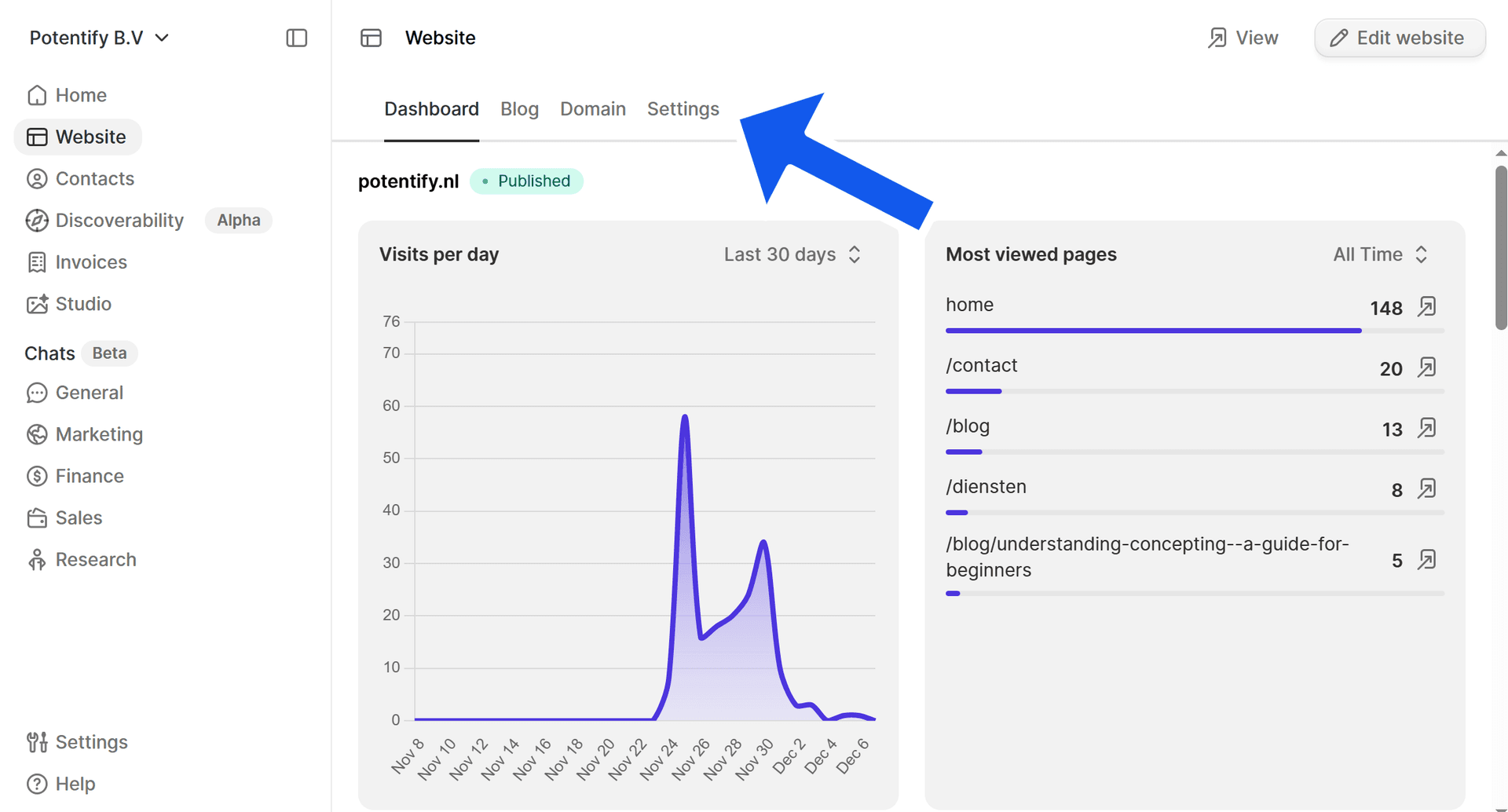
At the top of the editor, select the "Settings" tab to access global site configuration where custom code can be added.
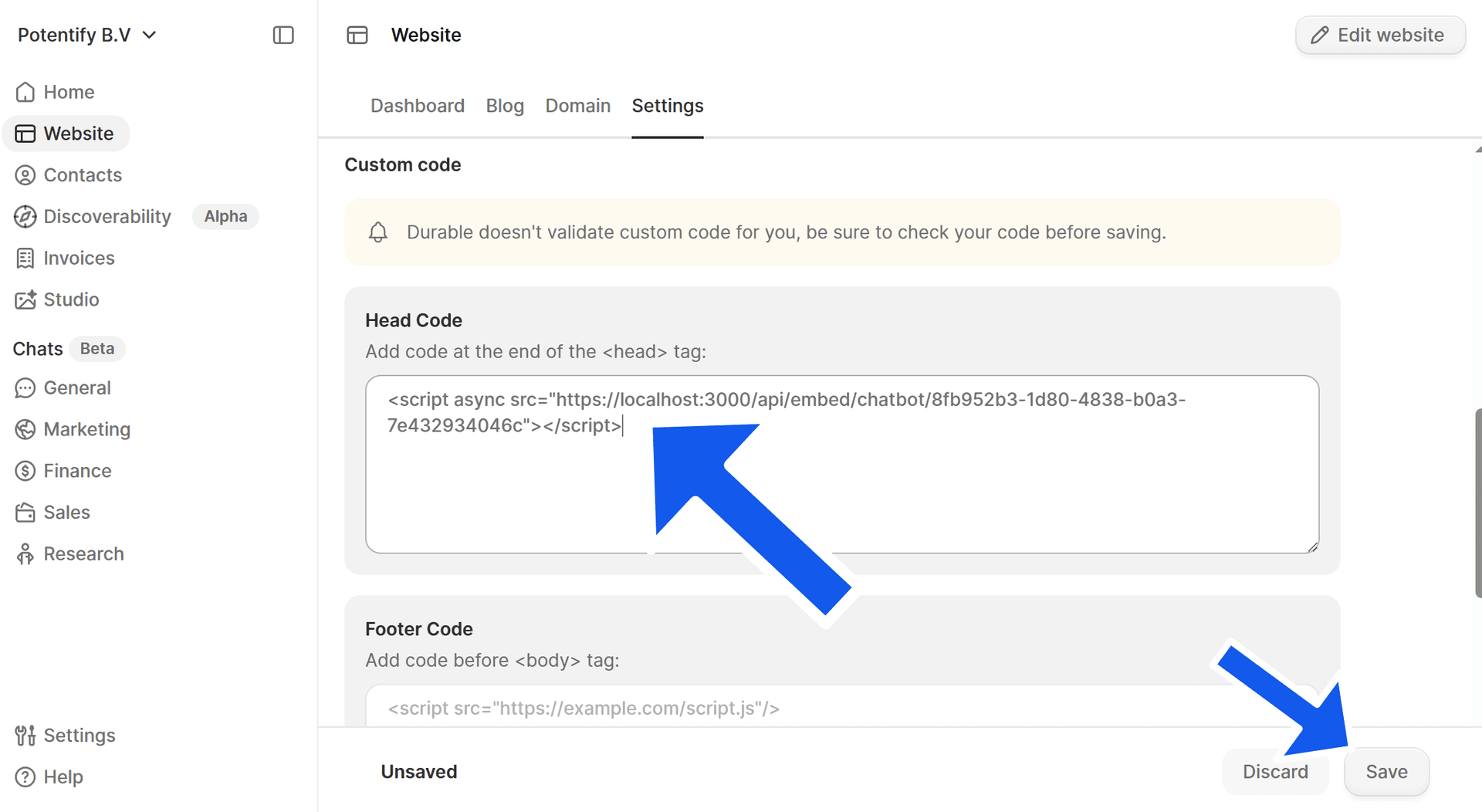
Under Custom code, locate Head Code and paste the copied embed script code into the underlying box. Click Save to apply your custom code site-wide and then press Publish to publish your site so the chatbot becomes live.
Press Publish on the top right corner to publish your site so the chatbot becomes live.